Download and Install JSME
How to Download and Install the latest version of JSME?
✍: FYIcenter.com
 You can follow this tutorial to download and install the latest version of JSME.
1. Go to JSME Download Website.
2. Click "JSME_2022-09-26.zip" to download the latest version.
3. Save the download file as "JSME_2022-09-26.zip".
4. Unzip "JSME_2022-09-26.zip". You see the "JSME_2022-09-26" sub-folder.
5. Open "./JSME_2022-09-26/index.html" in a Web browser. You see the "JSME Molecule Editor Distribution" page.
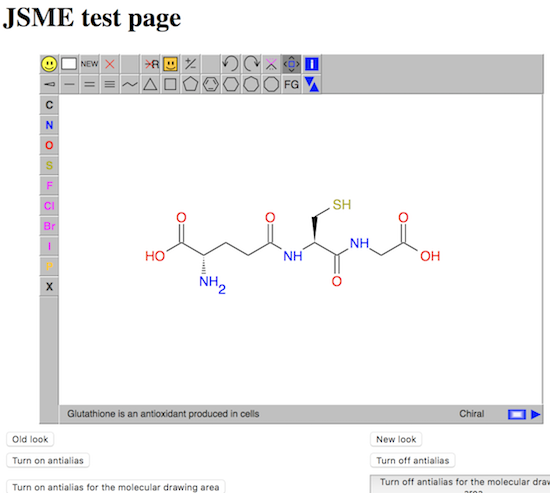
6. Click "JSME_test.html" link. You see the "JSME test page" showing various JSME functionalities.
If you can make some changes to the molecule displayed on the screen, you know that JSME is installed correctly as a standalone tool.
⇒ Install JSME on Apache Web Server
2020-05-18, 5198🔥, 0💬
Related Topics:

 Molecule FYI-1000049
Molecule Summary: ID: FYI-1000049 SMILES: Received at FYIcenter.com on: 2020-05-18 2020-05-18, 5262🔥, 0💬